|
3D in Flash Animations |
 |
new! see other ways of bringing Flash to Amapi with gif2swf from Crazy Ivan Productions!
 animated GIF 56k |
If you're a webmaster making 3D presentations and publishing them into Flash, QuicktimeVR, Shockwave, animated Gifs, and of course ZAP & 3Space for full 3D with live particles, smoke effects, collision, forces, gravity, wind (physics engine) even after it's in your browser! Check these examples (PC+IE5) |
 |
|
22k .swf file
>>>
|
|
|
Note:
|
If your browser can't display these two Flash files, you can click here for the first one and click here for the second one. If you want to view it locally, try Irfanview's plugin (on PC) |
Gary
Phillips (friendlyspider.com)
notes: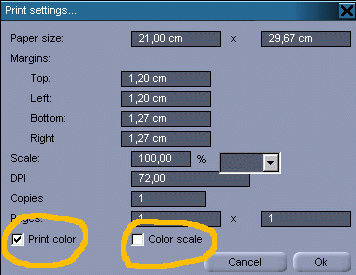
When you call up the Illustrator export menu in Amapi, you can select color and scaling. Color will fill the objectwith whatever shader color was applied to the object. Scaling tries to fill each polygon with a slightly different shade of the color relative to its self shadowing giving the illustrator shape a sense of lighting. You may want to use both settings. When I bring the object into Illustrator 7, the first thing I do is to select all, then I go to the top menus and select Object/Pathfinder/Trim. This will delete all the hidden lines. I then apply a color to the stroke, usually black. I like the faceted look with the pseudo gradient shading. If you lose the stroke, you also lose your outer outlining. The other way to make Flash, and easier also, (though it is not as precise and doesn't have that polygon look), is to use the styles (cartoon) renderer and then use Adobe Streamline or Flash itself to convert the bitmaps into Flash. Segmation (Xaos tools plugin for Photoshop Windows) also does a great job of turning bitmaps into vector. |
 without
shades (2, 4, or soft/saturated modes). Rendering into a Quicktime
animation file (MAC) or AVI (PC) or even a sequence of
individual
image files (JPEG, PICT, TIFF, BMP...) produces files which can
compress
very highly because there's potentially just a few colors (fill, edge
and
background colors). You can then also use various popular imaging tools
to perform edge detection on such images and convert to
vectorized
formats suitable for Flash authoring tools.
without
shades (2, 4, or soft/saturated modes). Rendering into a Quicktime
animation file (MAC) or AVI (PC) or even a sequence of
individual
image files (JPEG, PICT, TIFF, BMP...) produces files which can
compress
very highly because there's potentially just a few colors (fill, edge
and
background colors). You can then also use various popular imaging tools
to perform edge detection on such images and convert to
vectorized
formats suitable for Flash authoring tools.
|
The following (FaceTest1.swf) is 21.4 KB, and is courtesy of Gary Phillips at friendlyspider.com |
 Chris
Magee the Mage Amapiholic
Chris
Magee the Mage Amapiholic
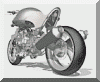 Giles McWilliam's Motor
Cycle Project
Giles McWilliam's Motor
Cycle Project
Look here for other Amapi users, perhaps some new Flash/Amapi examples too